
Signing Up for an Account
Signing Up for an Account
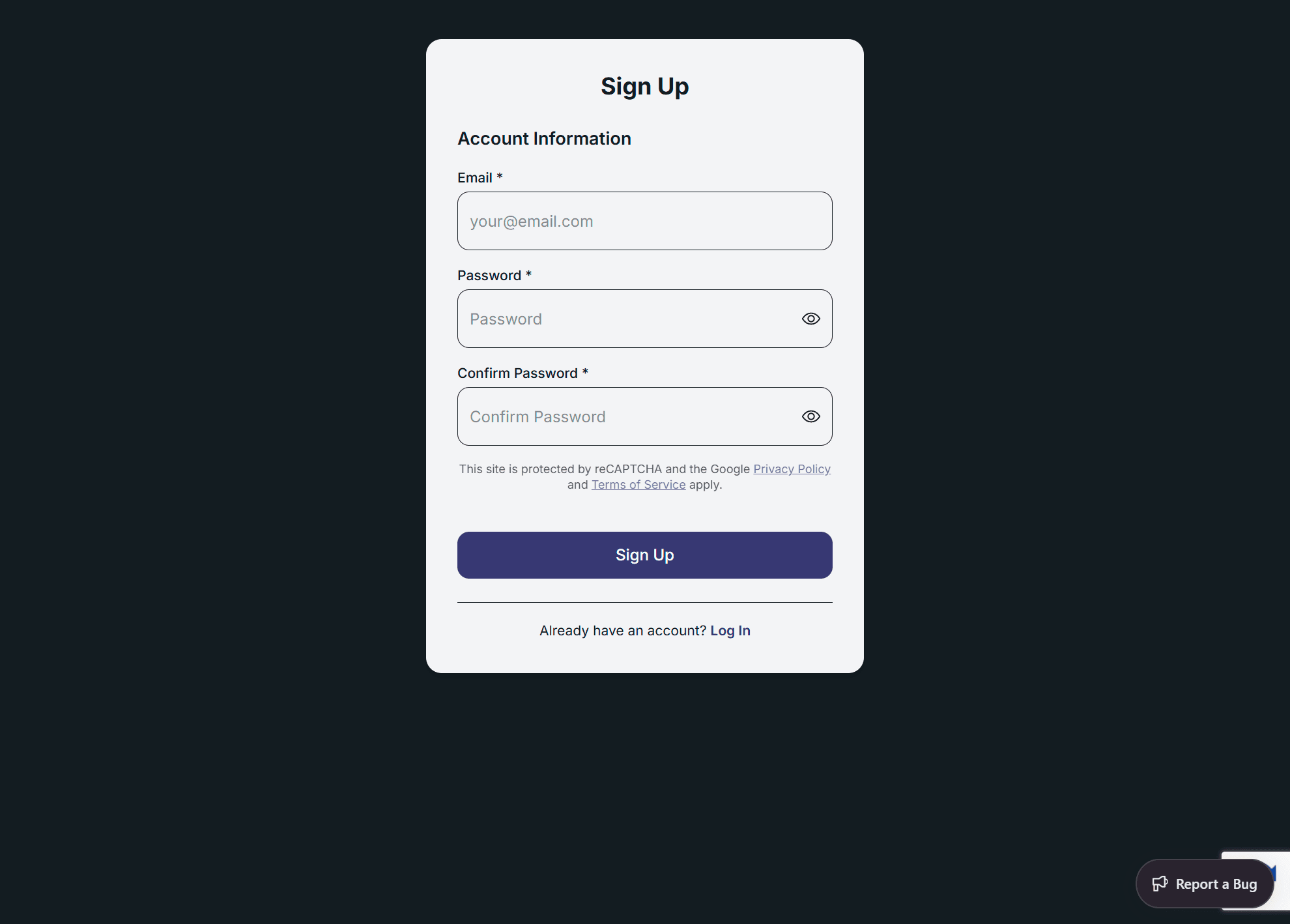
To start using SwiftReporter, you need to create an account. New accounts automatically receive a 30-day free trial.
Signing up on the website (web)
On app.swiftreporter.com, the registration form may show a Google reCAPTCHA challenge before your account is created. Complete the challenge, then click Sign Up.
Signup does not wait for email verification. After Sign Up succeeds, you stay signed in. SwiftReporter creates a Getting Started - Example Template, comment-library notes and defects for every section, and a Practice Inspection, then opens Complete Report for that practice job. See Getting Started on the Web App.
Getting Started
- Open the App: Launch the SwiftReporter application on your device
- Navigate to Sign Up: From the Login screen, tap the "Sign Up" button
- Complete the Registration Form: The signup form only requires an email and password:
Account Information
- Email: Enter a valid email address for your account
- Password: Must meet the following requirements:
- At least 8 characters long
- Contains at least one uppercase letter
- Contains at least one lowercase letter
- Contains at least one number
- Contains at least one special character (
@$!%*?&) - Has an eye icon to toggle password visibility
- Confirm Password: Re-enter your password to confirm it matches
Completing Registration
- Review Your Information: Ensure all required fields are completed accurately
- Tap "Sign Up": Press the "Sign Up" button at the bottom of the form
- Verify Your Email: After successful registration:
- You'll see an alert confirming a verification email has been sent
- You must click the verification link in the email before you can log in
- Tap "OK" in the alert to return to the Login screen
Additional Options
- Back to Login: If you already have an account, tap "Back to Login" to return to the login screen
Trial Information
💡 New Account Benefits: All new accounts automatically receive:
- 30-day free trial period
- Full access to all features during trial
- Trial status shows as "trialing" in your account
Troubleshooting
⚠️ Important: You cannot log in until you verify your email address. Check your email inbox (and spam folder) for the verification message.
💡 Tip: Make sure to use a valid email address as this will be your primary method of account recovery.