
Configuring Settings
Configuring Settings
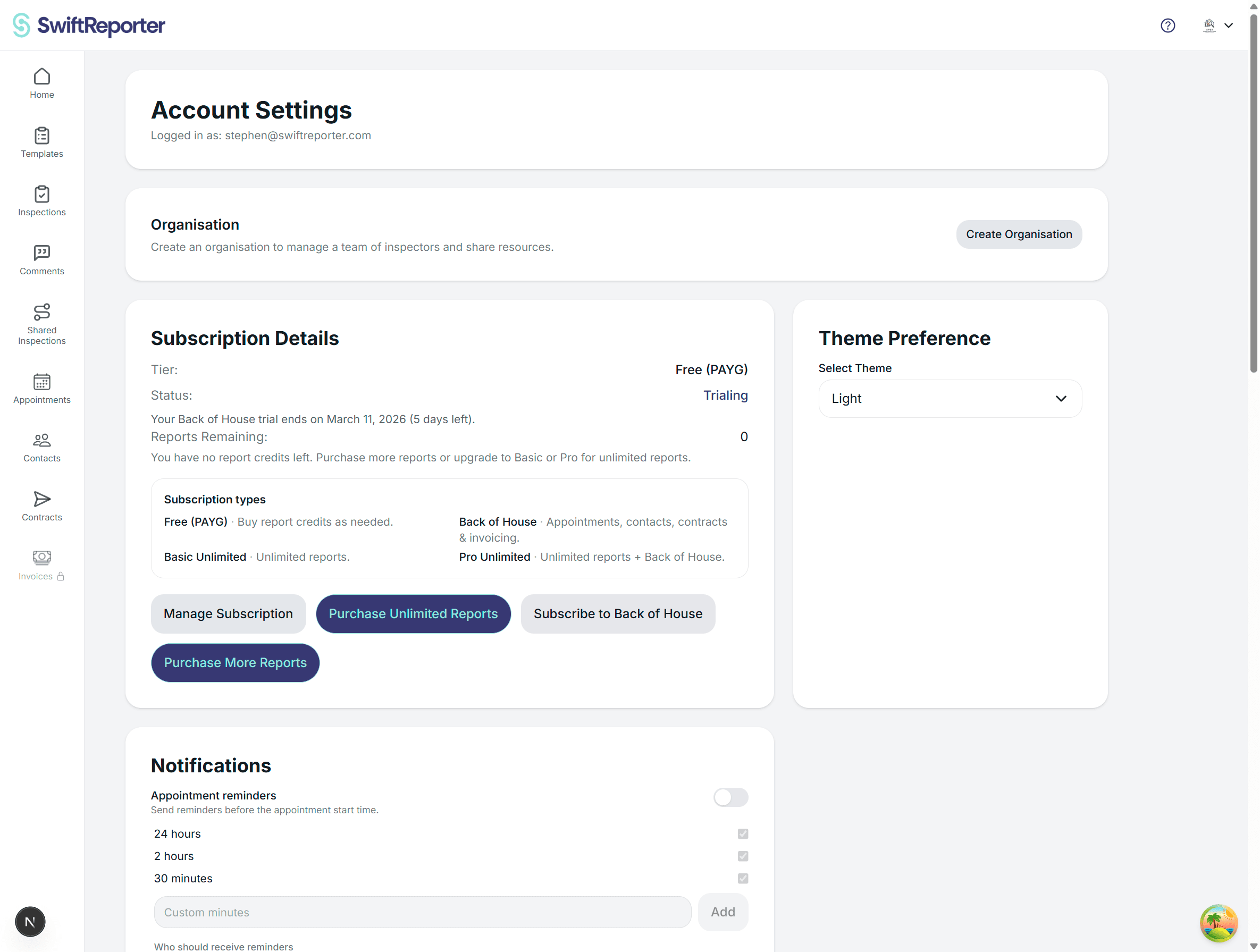
The Settings screen provides access to various app configuration options and preferences. While currently minimal, this screen serves as the central location for managing app-wide settings.
Accessing Settings
- Open Navigation: Tap the Custom Header button (located at the top right of most screens)
- Select Settings: From the navigation menu, tap "Settings"
- Settings Screen: You'll be taken to the main settings interface
Current Settings Options
Basic Settings Interface
The current settings screen displays:
- Settings Title: "Settings" heading at the top of the screen
- Future Configuration: Placeholder for additional settings options
Available Through Other Screens
While the main settings screen is minimal, you can configure various app preferences through other interfaces:
Profile Settings
- Biometric Authentication: Enable/disable biometric login (accessible via Profile screen)
- Personal Information: Update contact details and professional information
- Profile Photo: Change your profile picture
Template Settings
- Active Template: Select which template to use for new inspections (via Template screen)
- Template Customization: Modify categories, questions, and structure
Account Settings
- Password Management: Change account password (via Profile screen)
- Subscription Status: View trial/subscription information
- Account Information: Manage email and authentication preferences
Future Settings Expansion
The Settings screen is designed to accommodate future configuration options such as:
App Preferences
- Default Inspection Settings: Configure default inspection parameters
- Audio Quality: Set recording quality preferences
- Photo Resolution: Configure photo capture settings
- Auto-Save Intervals: Control how frequently data is saved
Notification Settings
- Push Notifications: Enable/disable various notification types
- Email Notifications: Configure email alerts and updates
- Reminder Settings: Set up inspection reminders and follow-ups
Data Management
- Sync Preferences: Control when data syncs with the server
- Offline Mode: Configure offline functionality
- Storage Management: Manage local storage and cache settings
- Backup Settings: Configure data backup preferences
Privacy and Security
- Data Privacy: Control data sharing and privacy settings
- Security Options: Additional authentication and security features
- Session Management: Control login session duration
Display and Interface
- Theme Selection: Choose light/dark mode preferences
- Font Size: Adjust text size for accessibility
- Language Settings: Select interface language
- Accessibility Options: Configure accessibility features
Navigation and Access
From Settings Screen
- Back Navigation: Use the header back button to return to the previous screen
- Menu Access: The Custom Header remains available for navigation to other sections
Integration with Other Screens
Many settings are contextually available in their relevant screens:
- Biometric settings in Profile
- Template preferences in Template management
- Account options in Profile management
Current Functionality
Screen Structure
Settings Screen
├── Header (with back navigation)
├── Settings Title
└── Content Area (currently minimal)
Responsive Design
- Adapts to Device: Settings interface adjusts to different screen sizes
- Theme Integration: Follows app-wide theming (light/dark mode)
- Consistent Styling: Matches the overall app design language
Accessing Related Settings
Since many configuration options are located in other screens, here's where to find key settings:
User Account Settings
- Location: Profile screen (via Custom Header → Profile)
- Options: Password change, biometric setup, personal information
Template Configuration
- Location: Template screen (via Home → Template section)
- Options: Active template selection, template editing, PDF template creation
Inspection Preferences
- Location: Various inspection-related screens
- Options: Default observation categories, report formatting preferences
Future Updates
🔄 Expansion Planned: The Settings screen will be expanded with additional configuration options in future app updates.
⚙️ Centralization: More settings will be consolidated into this central location for easier management.
🎨 Customization: Enhanced personalization options will be added to improve user experience.
Best Practices
📱 Explore Related Screens: Many important settings are currently found in Profile and Template management screens.
🔍 Check Profile First: Most user-specific settings are available through the Profile screen.
📊 Template Management: For inspection-related preferences, check the Template management interface.
Getting Help
💡 Settings Location: If you can't find a specific setting, check the Profile screen or related functional areas.
🆘 Support: Contact support if you need help configuring specific app features.
📖 Documentation: Refer to other help sections for detailed configuration instructions for specific features.