
Glossary
Glossary
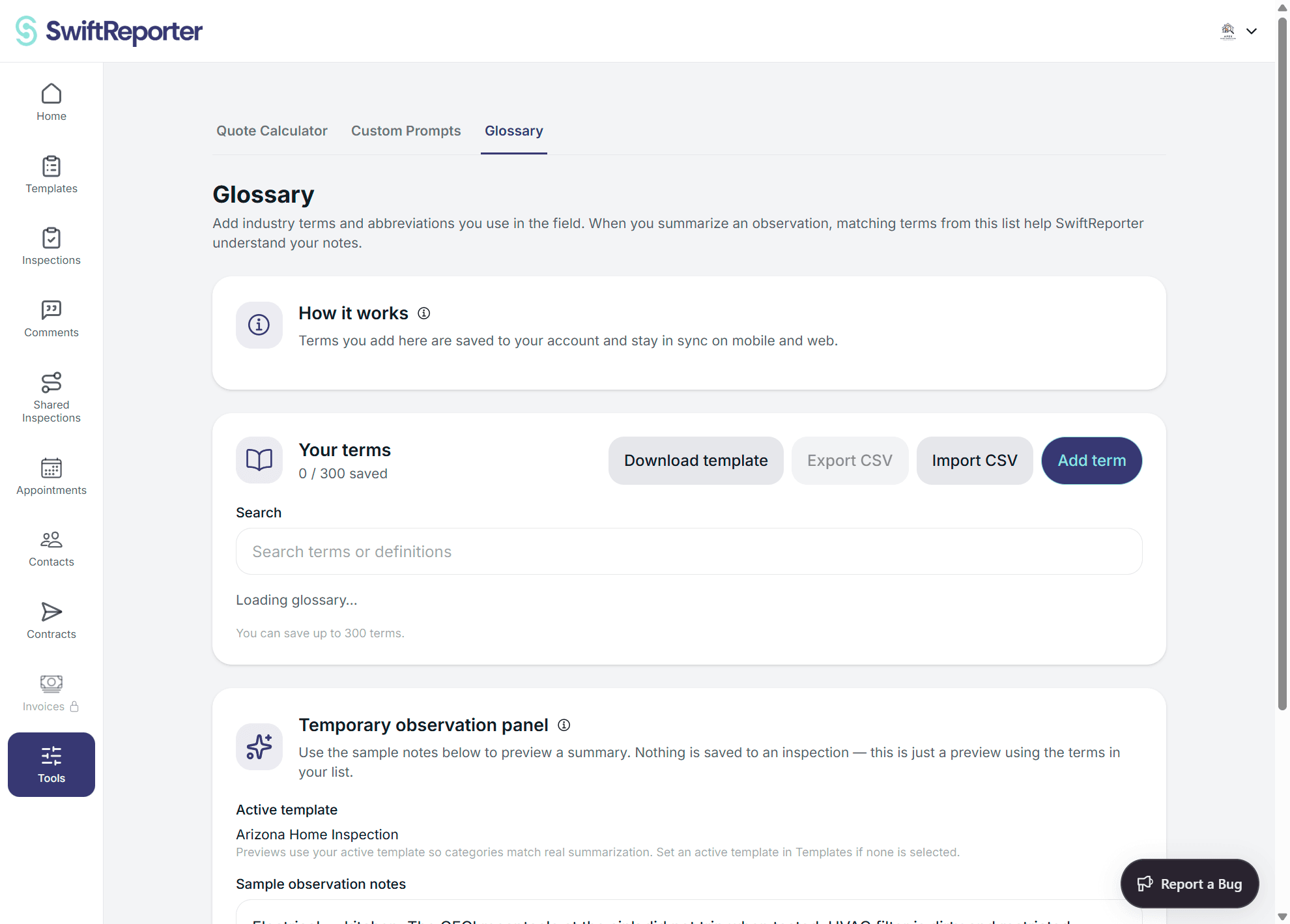
Glossary is your private list of industry terms and abbreviations. Relevant matches help SwiftReporter understand terminology in your notes without adding those terms to a report as findings. You can save up to 300 unique terms.
Manage terms
- Open Tools and select Glossary.
- Select Add term to enter a term and definition, or open a saved term to edit or delete it.
- Use Search to filter the alphabetical list and review your saved-term count.
Import and export CSV
- Select Download template for an example with the required
termanddefinitioncolumns. - Select Export CSV to download your saved glossary.
- Select Import CSV, choose a file, and review the preview for valid rows, invalid rows, duplicates, and conflicts.
- For conflicts, choose Update existing or Skip existing, then confirm the import.
On mobile, use your device share and file picker options to share or select CSV files.
Test summarization
- Edit the sample notes if needed.
- Select Test summarize.
- Review Preview result and Glossary terms used. The preview does not write to an inspection.
What happens next
Only relevant matched terms guide future summaries, alongside your Custom Prompt when used. Glossary terms remain terminology references: they do not become inspection findings or rewrite past observations. An empty glossary has no effect.
Troubleshooting
- Cannot add a term: Delete unused terms if you have reached the 300-term limit. Imports that would take your glossary over 300 terms are also blocked.
- Import is blocked: Correct invalid or duplicate rows, terms or definitions that are too long, or malformed CSV content, then import the file again. Oversized files are rejected.
- The list did not load: Select Retry. No glossary terms yet appears only when your glossary loads successfully and contains no terms.
- A summary was not influenced: No saved terms may have matched the notes.
- Glossary is missing: The tool may not be available to your account on that platform.