
Contact Details
Contact Details
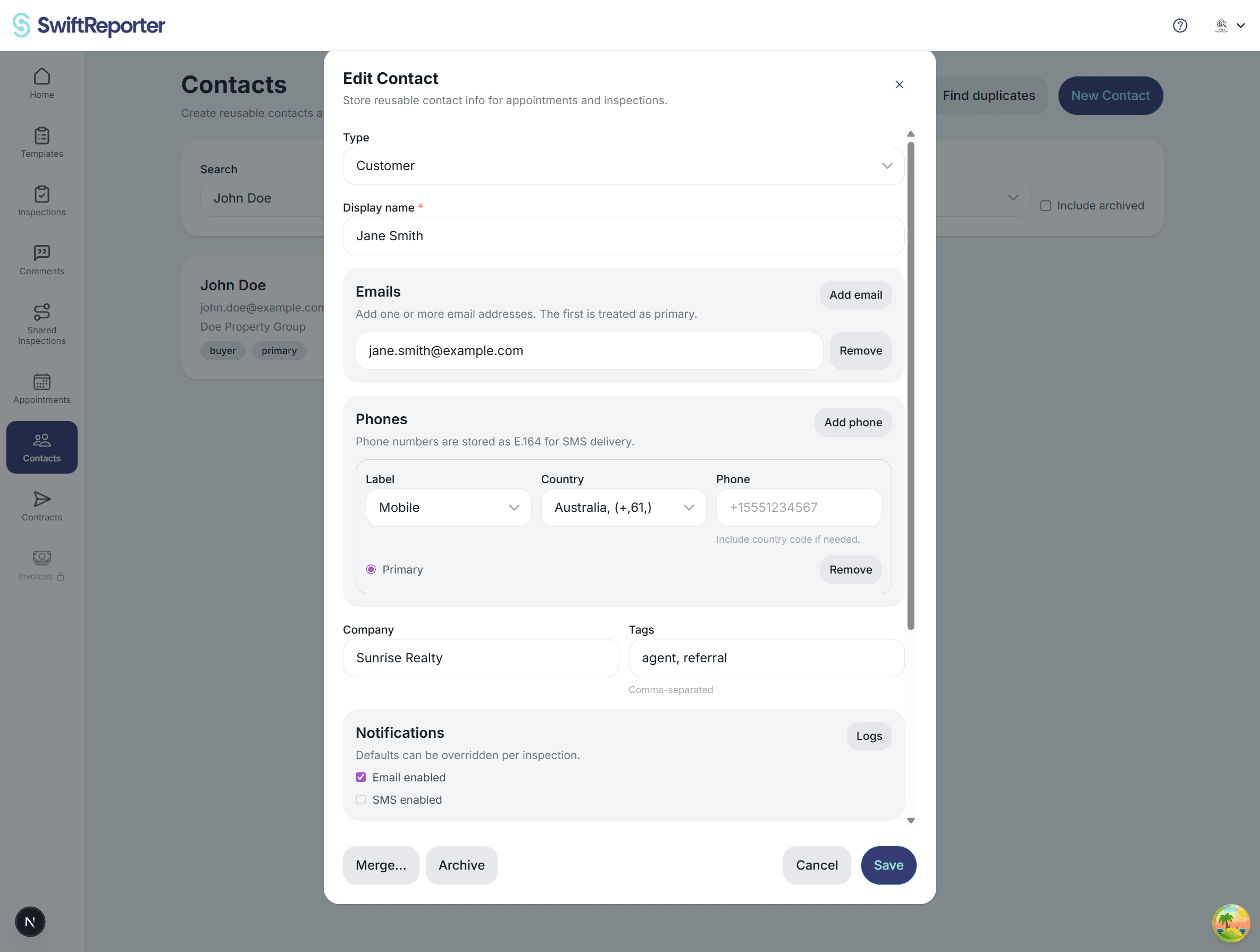
Use the Contact Details view to edit a person’s name, contact information, and preferences. This view opens when you click a contact or when you navigate directly to a contact from another screen.
What you can edit
- Name: display name and optional first and last name.
- Type: customer or business contact.
- Email addresses: add one or more emails.
- Phone numbers: add one or more phones.
- Addresses: store mailing addresses for reference.
- Company and tags: helpful for organizing business contacts.
- Notes: private notes only visible to you.
Phone number formatting
Phone numbers are validated and normalized. If a number is missing a country code, you may be prompted to add one, for example +1 for US or Canada.
Notification defaults
You can set default communication preferences for a contact, including email. These defaults can still be overridden on a specific appointment or inspection.
Archive and restore
Archiving hides a contact from the default list without deleting their information. Archived contacts remain linked to existing records and can be restored at any time.
Tips
- Use the correct contact type so notifications and portal actions behave appropriately.
- Add both email and phone if you want flexibility to use either channel.
- Archive duplicates after merging to keep your list clean.