
Scale Without the Friction: Introducing Teams Mode for SwiftReporter AI
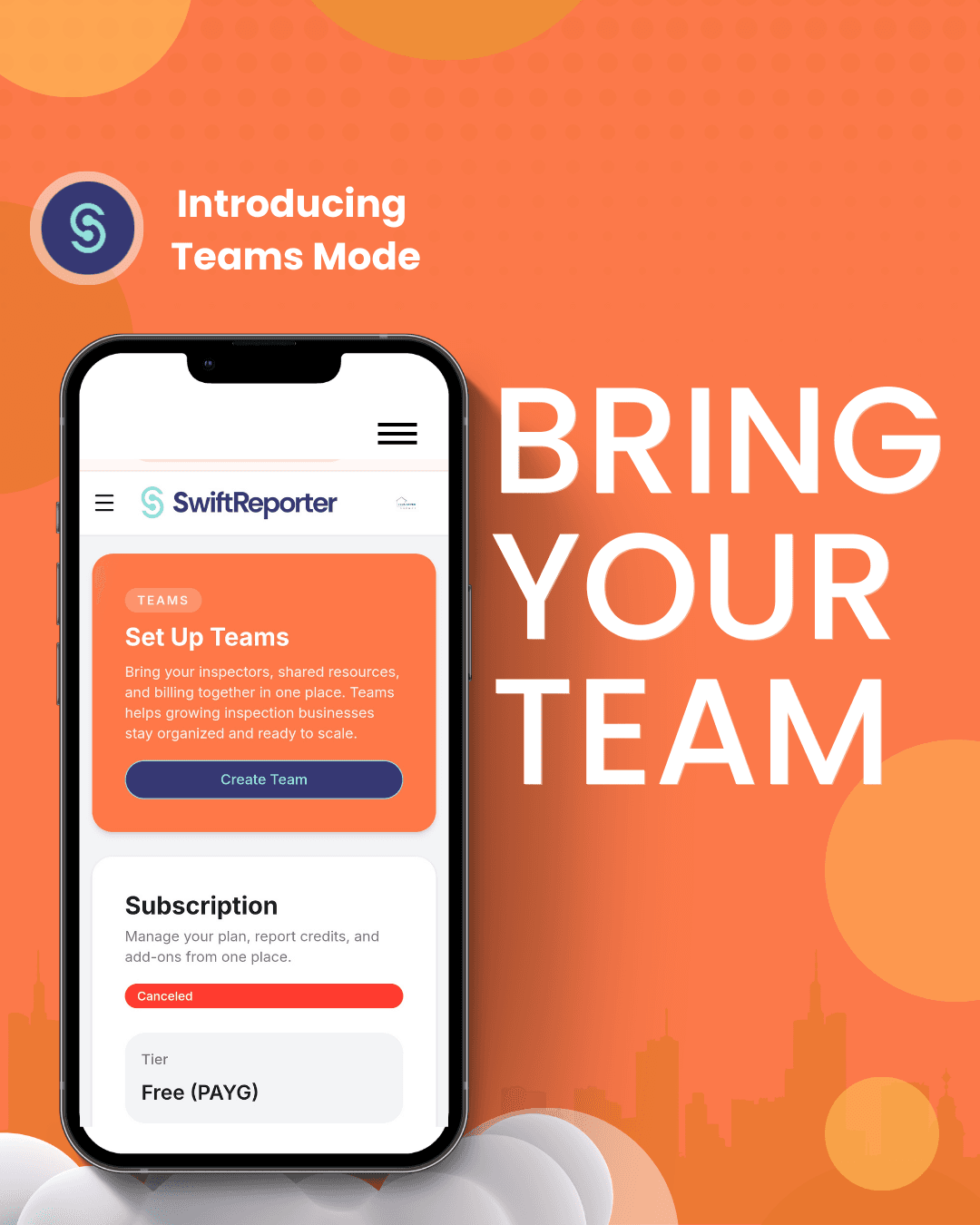
Scaling Your Empire: Introducing Teams Mode for SwiftReporter
Author: Evan Sutter, Co-Founder SwiftReporter Home Inspection Software
Category: Product Updates / Innovation
Read Time: 5 Minutes
The "Tinker Tax" stops here.
At SwiftReporter, our mission has always been clear: Stop the paperwork, start the growth. We know that for the modern inspector, the "second shift" of manual report writing is the silent killer of scale. But what happens when you move beyond being a solo operator? What happens when you start hiring, growing, and managing a fleet of inspectors across the Hunter, the US, or the UK?
The complexity doesn't just add up; it multiplies.
That is why we are proud to announce our latest leap in SwiftReporter AI Home Inspection software: Teams Mode. This isn't just a folder for your staff; it’s a centralized command center designed to bring your inspectors, shared resources, and billing together in one high-velocity environment.
Why Teams? Why Now?
We don’t believe in "stagnant software." If you’ve been watching our Changelog, you’ve seen our speed. From AI-driven technical narratives to our "Safe at Home" protocols, we move fast so you can move faster.
Teams Mode is the result of direct feedback from our power users who are ready to scale. It solves the three biggest friction points of a growing inspection business:
- Centralized Billing: Stop chasing individual invoices. One account, one card, total visibility.
- Shared Resources: No more "I sent you the template on WhatsApp." Create a gold-standard template once and push it to your entire team instantly.
- Real-Time Collaboration: Manage your inspectors’ progress and ensure every report hitting a client's inbox meets the high-fidelity standard of your brand.
The Competitive Edge of AI Home Inspection Software
Most home inspection software is built on legacy code that feels like 2010. We are building for 2026. By using Teams Mode, your business gains the agility of a startup with the power of an enterprise-grade AI engine.
Feature Breakdown: Individual vs. Teams Mode
For the Webflow implementation, use the following code block to embed a high-contrast, brand-aligned table:
| Feature | Individual Mode | Teams Mode (New) |
|---|---|---|
| Reporting AI | Full Access | Full Access + Shared Logic |
| Billing | Personal | Centralized / Multi-User |
| Template Management | Manual Export | Instant Cloud Sync for Team |
| Role Management | N/A | Admin & Inspector Tiers |
Innovation at the Speed of Sight
If you want to see how serious we are about continual development and improvements, just look at the data. Our docs on Teams Mode show a system that is built for speed, not just compliance.
We’ve optimized our AI to handle multi-user inputs, ensuring that whether it's your first day or your tenth year, the report narrative remains professional, technically accurate, and formatted perfectly—every time.
We aren't just building a tool; we are building a standard for the industry.
Ready to Scale? Here is How to Start.
We’ve made the transition as frictionless as our reporting. You don't need a 20-page manual to get your team onboarded.
- Log into your SwiftReporter account.
- Look at the top navigation or your account settings.
- Click Set Up Teams — It’s the bright Orange button. You literally cannot miss it.
- Invite your inspectors and watch your "Tinker Tax" disappear.
Enough thinking. It’s time to scale.
Evan Sutter Co-Founder, SwiftReporter AI Home Inspection Software
Frequently Asked Questions: Teams Mode & Scaling
Q: How do I invite my team to SwiftReporter? A: It’s built for speed. Just log into your account, click the bright orange “Set Up Teams” button, and enter your inspectors' email addresses. They’ll receive an instant invite to join your centralized workspace.
Q: Can I share my custom home inspection templates with my team? A: Yes. Teams Mode allows you to create "Gold Standard" templates and push them to your entire fleet instantly. This ensures every inspector—from Newcastle to New York—is producing the same high-fidelity reports.
Q: Does SwiftReporter AI Home Inspection software support centralized billing? A: Absolutely. Teams Mode brings all your seats onto one invoice. You can manage your entire subscription, add or remove inspectors, and track billing from a single dashboard.
Q: Will my inspectors see my private business data? A: No. Teams Mode includes role-based permissions. Admins have full visibility over billing and team-wide templates, while Inspectors focus on their specific jobs and field observations.
Q: Is Teams Mode compatible with the mobile app for on-site inspections? A: Yes. Once an inspector is added to your team, they have full access to the SwiftReporter mobile app, including our AI Voice-to-Narrative features and hard-linked photo evidence.
Enough thinking. It’s time to scale.
Innovation isn’t a destination; it’s our baseline. At SwiftReporter, we don’t just build features; we build exits from the "Second Shift."
Teams Mode is the result of our commitment to continual development and speed. We saw the bottleneck growing businesses were facing, and we solved it. No complex onboarding, no hidden fees—just the most agile home inspection software on the market, now optimized for your entire fleet.
Our Changelog shows how fast we move. Teams Mode shows how fast you can move.
Don't let your software be the ceiling on your growth. Bring your inspectors, your resources, and your billing into one place and get back to what matters: growing your empire and reclaiming your evenings.
Ready to move? Log in, find the bright Orange "Set Up Teams" button, and let's go.
Evan