
Beyond the Template: Why Your Inspection Report Should Be as Unique as Your Business
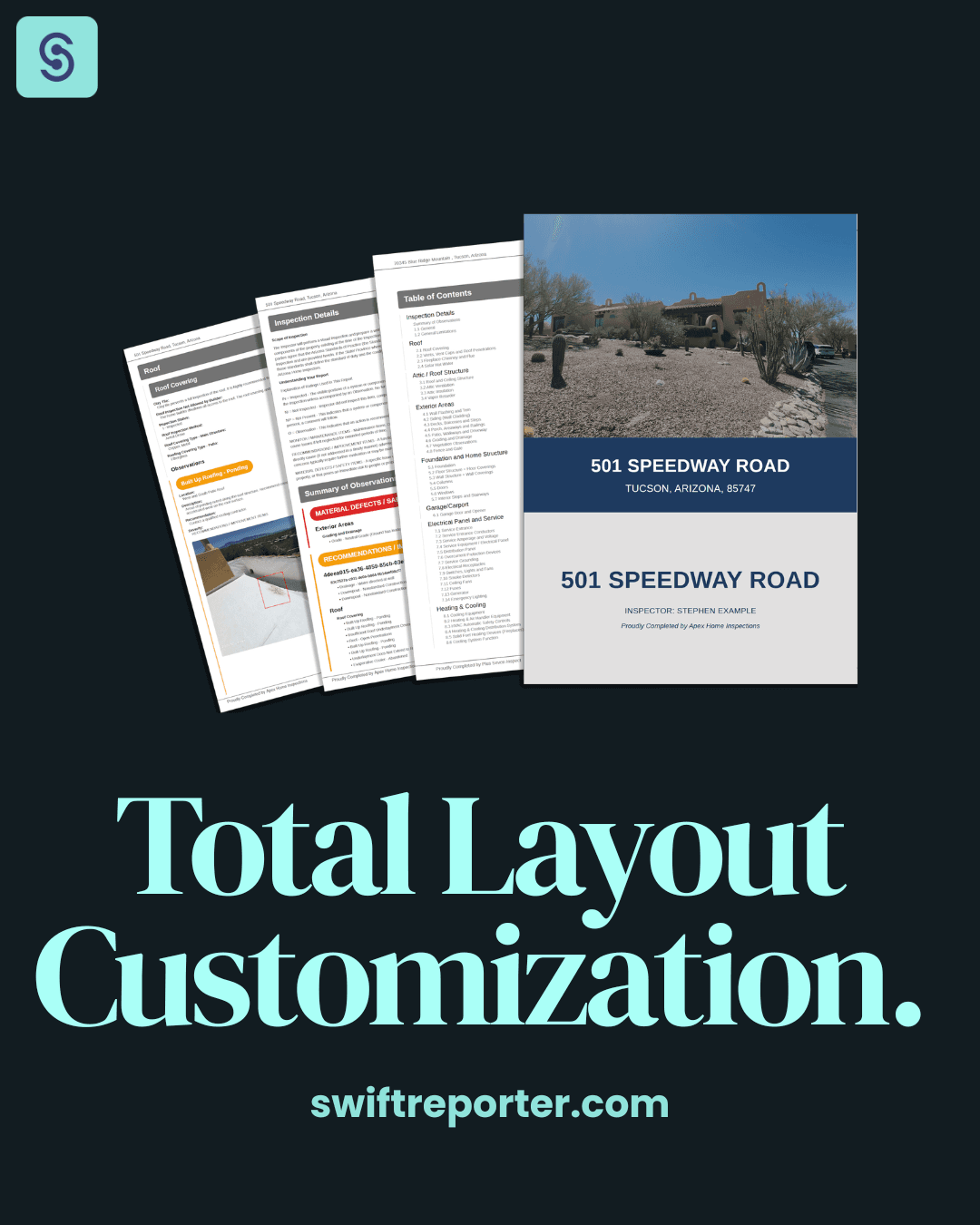
In the home inspection industry, your report is your calling card. It is the final product the client pays for—and if that product is a 100-page "wall of text," you risk confusing the buyer or scaring them away with unnecessary "report bloat."
We recently had a deep dive with an inspector who was worried that our sample reports had "too much going on." It was a fantastic reminder: A sample report is a starting point, not a rulebook.
"The "500-Page Report" Myth.
A common fear with inspection software is that the template will dictate the length. If you have 30+ minor maintenance items, does your report have to look like a disaster manifest? Not with SwiftReporter.
Total Creative Control: You’re the Pilot
SwiftReporter is built for editability and adaptation. You have the power to trim the fat and deliver a document that looks exactly how you want it:
- Smart Navigation: Our reports feature internal hyperlinks. Your clients can click the Table of Contents and jump straight to the "Roof" or "Electrical" sections—no more endless scrolling.
- The "Scare Factor" Fix: You decide what hits the summary. Use our Notes feature for minor observations you want on record but don't want to clutter the high-priority summary.
- Visual Precision: Add as many photos as necessary to support your findings. Our system optimizes sizing for a professional look without the "bloat."
- Brand Customization: Bring your own custom cover page, auto-sync your inspector profile to avoid double-handling, and move the summary section wherever it fits your flow.
Professionalism in a Few Clicks
SwiftReporter isn’t just about data entry; it’s about automated professional branding. Whether you deliver a sleek PDF or a fully interactive digital report, your work is instantly archived and accessible anytime.
Check out our sleek reports at SwiftReporter and jump into a pressure-free trial today.
FAQ: Professional Report Customization
How can I reduce the length of my home inspection report?
SwiftReporter allows you to toggle specific sections on or off to prevent "report bloat." By utilizing the Notes feature for minor maintenance, you keep the body of the report thorough without overwhelming the high-level Summary Section.
Can I use my own branding and cover page?
Yes. You can upload custom cover pages, add your company logo, and auto-sync your credentials. SwiftReporter ensures a polished, branded look with zero double-handling of data.
Are reports available in PDF or digital formats?
Both. You can deliver a fully interactive digital report with internal hyperlinks for seamless navigation, or a professional PDF optimized for printing and archiving.
Can I control which observations appear in the Summary?
Absolutely. The inspector has total control. You choose which items are "Major Defects" for the summary and which are standard observations, preventing clients from being overwhelmed by minor issues.
Does the Table of Contents include clickable links?
Yes. All SwiftReporter digital reports feature internal hyperlinks, allowing clients to navigate the document instantly on mobile or desktop.
Written by Evan Sutter, Co-Founder, SwiftReporter AI Inspection Software